S
Sohoz Print
WooCommerce print plugin
Download

Built for fast packing & dispatch

Print order stickers & thermal receipts from WooCommerce — in 1 click.

Sohoz Print adds a dedicated Sohoz Print column in your Orders list, supports Sticker 75×100mm and Thermal 80×200mm, and keeps merchant info, logo, paper size, and footer text in one simple settings page.

Orders column
Print + Printed status
Paper sizes
75×100 & 80×200
Simple settings
Logo + footer text
WooCommerce Orders — Sohoz Print column

Real dashboard screenshot
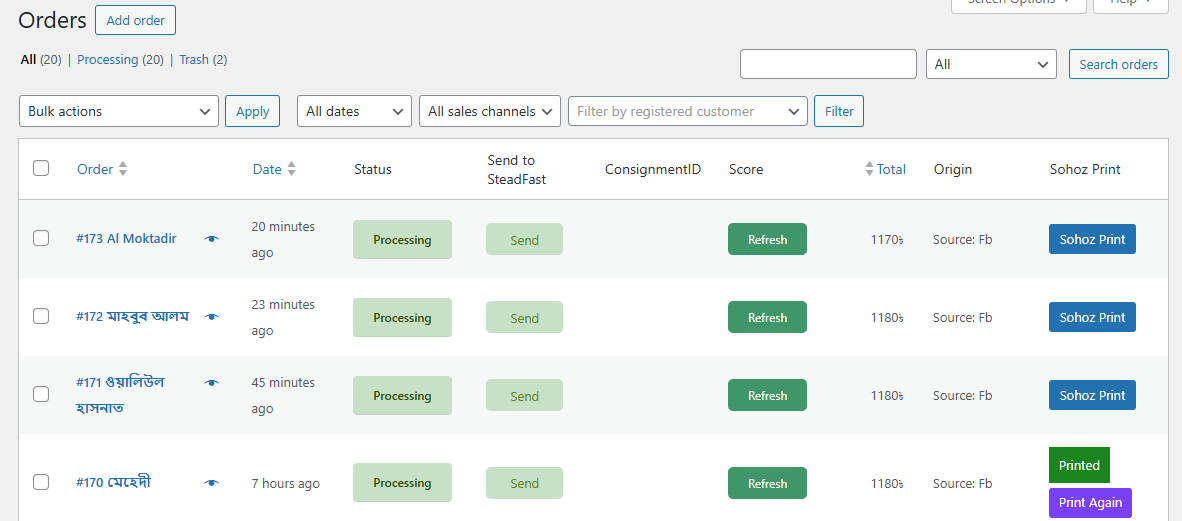
Orders list with Sohoz Print column

Features

Made for packing desks — fast, clean, and practical.

One-click print in Orders

Adds a Sohoz Print button per order + a “Printed / Print Again” flow.

Sticker + Thermal modes

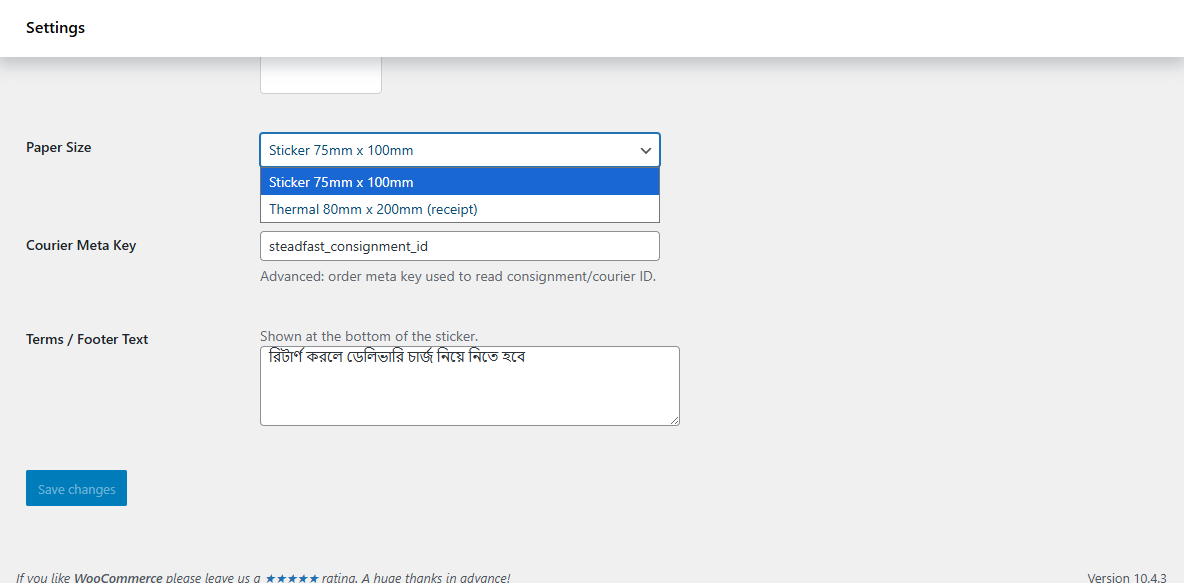
Paper size presets: Sticker 75×100mm and Thermal 80×200mm (receipt).

Merchant settings

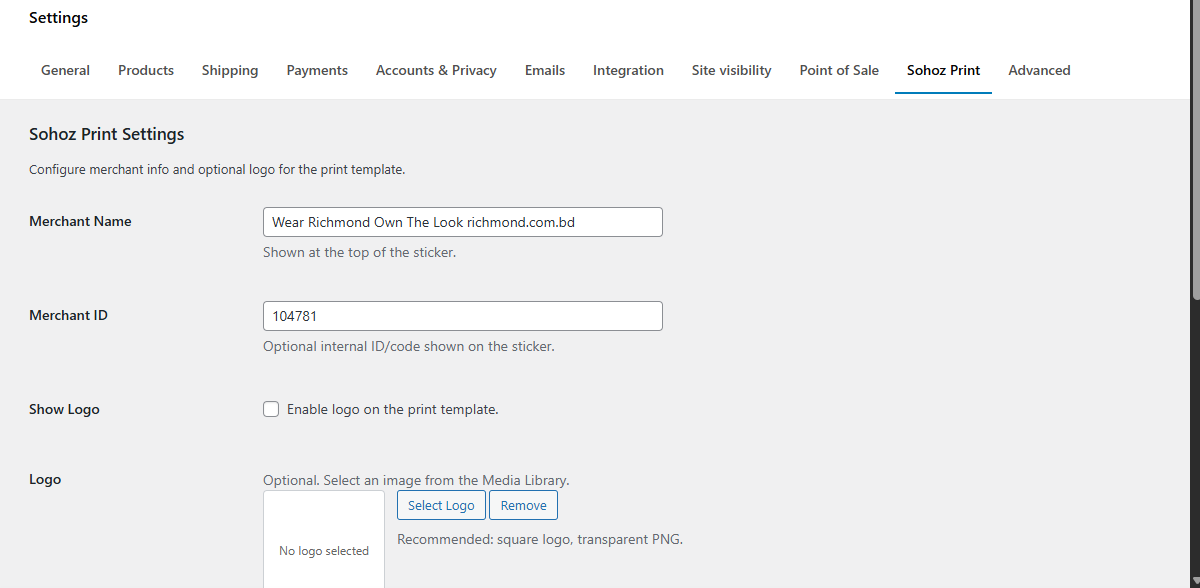
Set merchant name, optional ID, and optional logo for the print template.

Courier meta key

Read consignment/courier ID from an order meta key (example: Steadfast).

Footer text (Bangla supported)

Add return policy / delivery note text at the bottom of each sticker.

Print-ready layout

Clean borders, readable typography, and predictable spacing for sticker/thermal output.

Screenshots

UI + real print output (sensitive details blurred).

Sohoz Print settings - merchant info
Settings: Merchant name, ID, and optional logo.
Sohoz Print settings - paper size
Settings: Paper size presets (Sticker 75×100mm, Thermal 80×200mm).
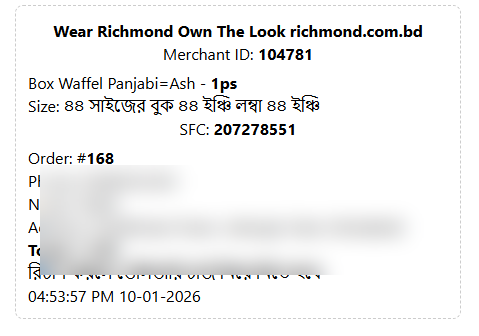
Sticker preview
Sticker template preview (blurred demo data).
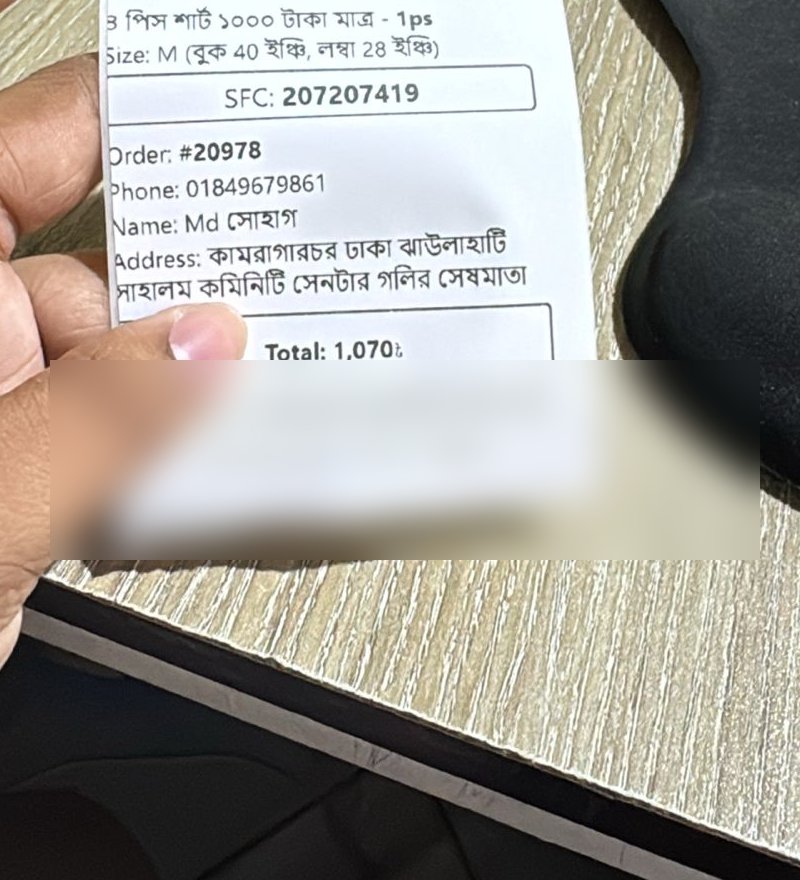
Real printed sticker photo
Real printed sticker (blurred demo data).
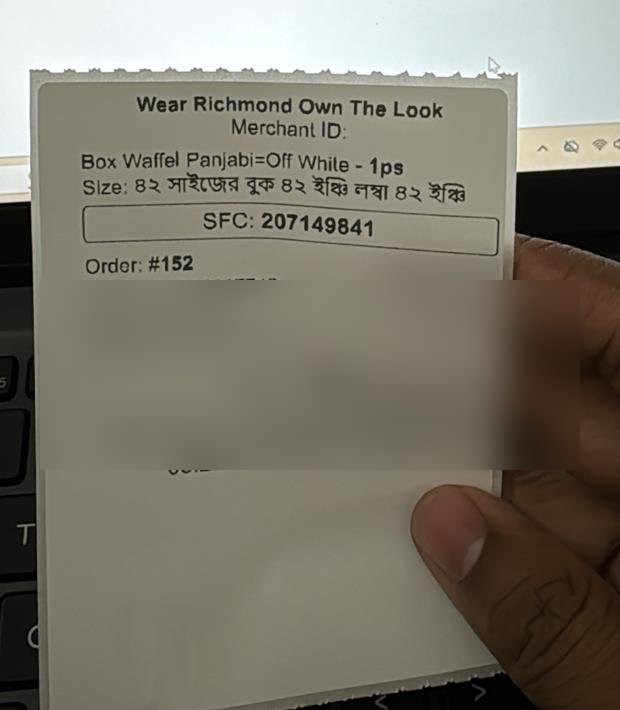
Real printed sticker photo 2
Another print example (blurred demo data).

How it works

Step 1
Install & activate

Upload the plugin ZIP in WP Admin → Plugins → Add New → Upload Plugin.

Step 2
Configure settings

Set merchant name/logo, paper size, courier meta key, and footer text.

Step 3
Print from Orders

Use the Sohoz Print button in the Orders table — print again anytime.

Download

Get the latest plugin ZIP from GitHub.

Quick install
WP Admin → Plugins → Add New → Upload Plugin → Choose ZIP → Install → Activate